Tesla Stops Itself

A recent software update (2020.12.6) for my Model 3 has added the capability for the car to stop itself at stop lights and stop signs. Actually, for traffic light controls it currently slows down for all lights; red, yellow, green, but I can signal for it to continue thru green lights in advance of it slowing to a complete stop. (a later update allows the car to follow other cars through green lights without driver interaction) Once a red light changes to green, pushing down on the control stalk or pressing the accelerator (intuitively) signals to the car to continue on, up to the speed limit of the road.
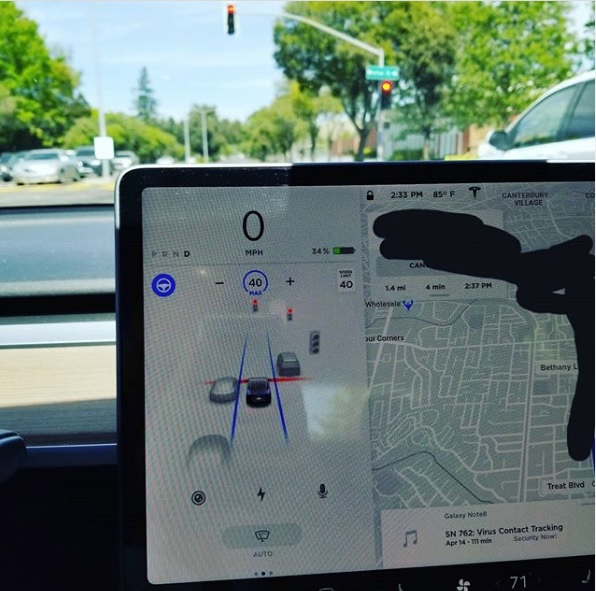
Some people find this annoying (always telling the car to go ahead), but what Tesla owners are all doing collectively is training a neural net so that all conditions for these traffic controls can be trained into the neural net. What is also annoying is the other drivers… my car is doing the speed limit of the road throughout all of this, and everyone is honking and speeding by me, at least by 5 mph, often higher. IF I’m in the right lane, what is it that allows you as a fellow driver, concerned for your and my safety, to be so insistent that honking to “get out of the way” in the right lane is the correct behavior?

If you have indicated to go ahead and a light changes from green to yellow to red, then the car will instead stop itself. And, if you are behind another car, just like before, the car will keep it’s follow distance from that car.

The technology involved here, I believe, is outstanding. Eventually, for a full self driving capability, this training will not be necessary, but right now it’s a beta version of stopping for traffic controls and it does the job. Of course, as the operator of the vehicle, you still have to keep your hand on the wheel and be ready to take over if something unforeseen occurs.
FSD 3.0 Hardware

Monday, Tesla finished the upgrade of my 2.5 autopilot hardware on my Tesla Model 3. It’s still not ready for “feature complete” aspects of the Full Self-Driving (FSD) software, which is due shortly, but at least my hardware is now in place.

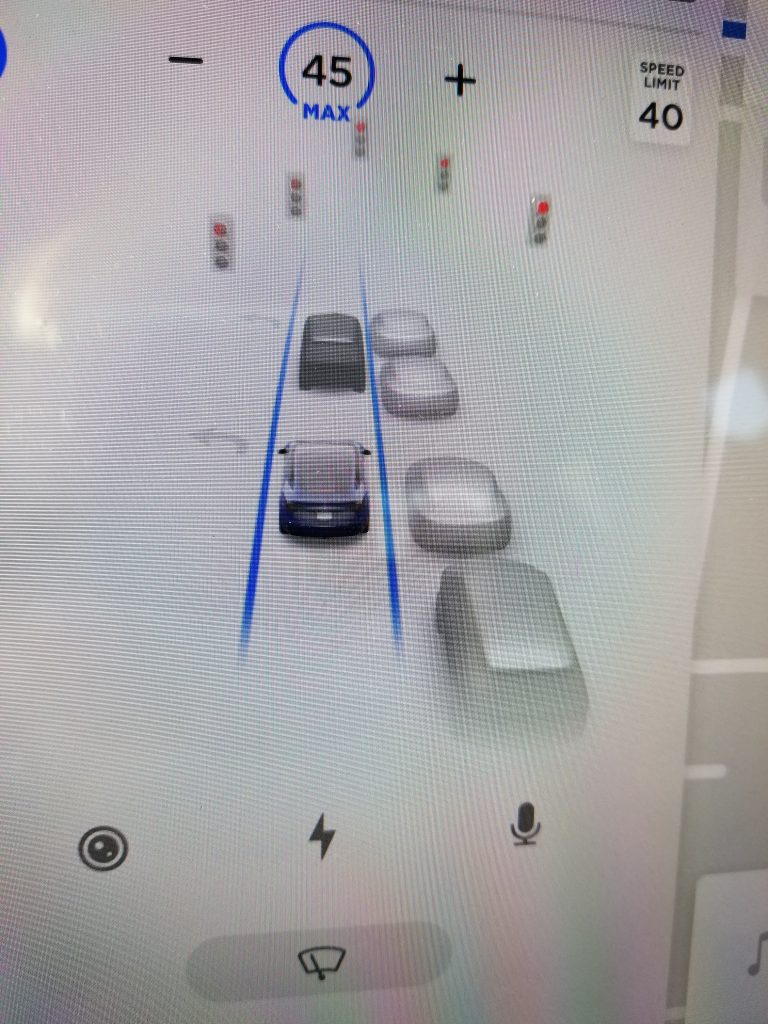
Right now, I can see that it “sees” stop lights, signs, traffic cones, etc. Autopilot seems a lot more responsive while I drive. The new CPU’s in this computer are clocking a lot less utilization than the Nvidia CPU’s in the previous hardware.

Last week, when I had my Model3 into Service Center for HW 3.0 update, coincidentally, another owner’s Model3 was in for the update same day as mine, and the vehicle ID numbers (VIN) were switched. It was an honest mistake by the technicians involved. The VINs were very similar to each other, ending in 420 vs. 042. So think about those odds: two techs, two similar VINs, same SC…

Anyway, afterwards, my car would not get any software over the air (OTA), it was reporting the wrong color and the wrong tire size, wrong odometer, and my phone/app would not pair to car to act as a key to the vehicle. I discovered the VIN issue with Tesla over the phone help on 2/21, but it could not be resolved via OTA. So another service visit (the next working day) was necessary for correct VIN to be put into my car.

I did not catch this myself when picking up on Friday, only after I was home and car was not getting it’s OTA updates and subsequent phone call analysis. Somewhere during this diagnosis I thought VIN did not “look right” and on the phone, the tech confirmed it by having me check the VIN under the windshield and on driver door jam.

I think now an additional step in the HW 3.0 install process will be to confirm VIN’s before finishing up and returning the car to the customer. Tesla called the other customer to have them return for service to his car. He had noticed wrong car color on his screen, but not yet taken any action yet.

Go figure…